Reviu
Git client + GitHub workflows

A free Git client with a real-time diff editor.

Review diffs, edit code, and commit from one keyboard-driven desktop app. Upgrade to Reviu Pro for GitHub notifications, repos, PRs, and issues.

Keyboard-first Full local Git PR review in-app
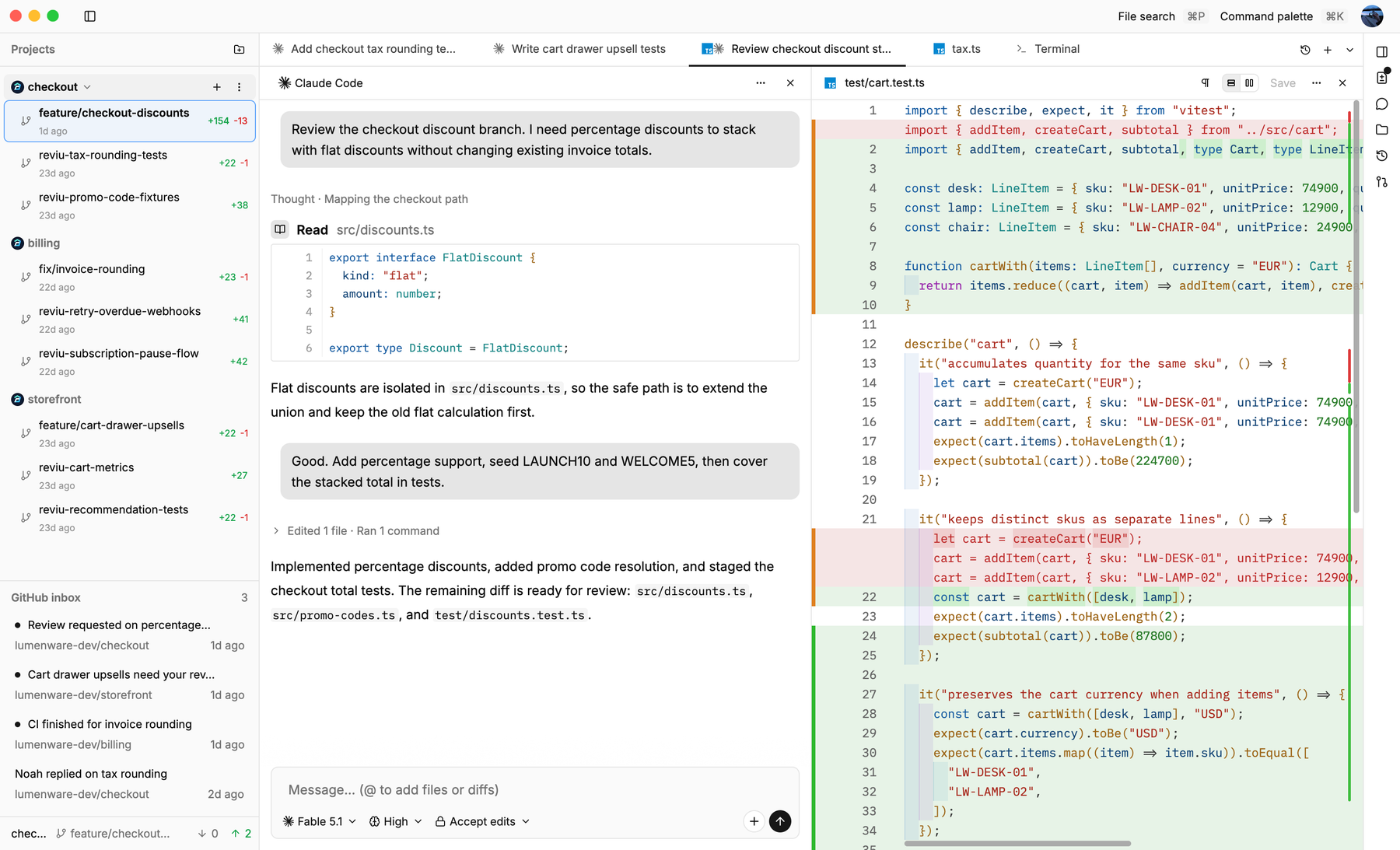
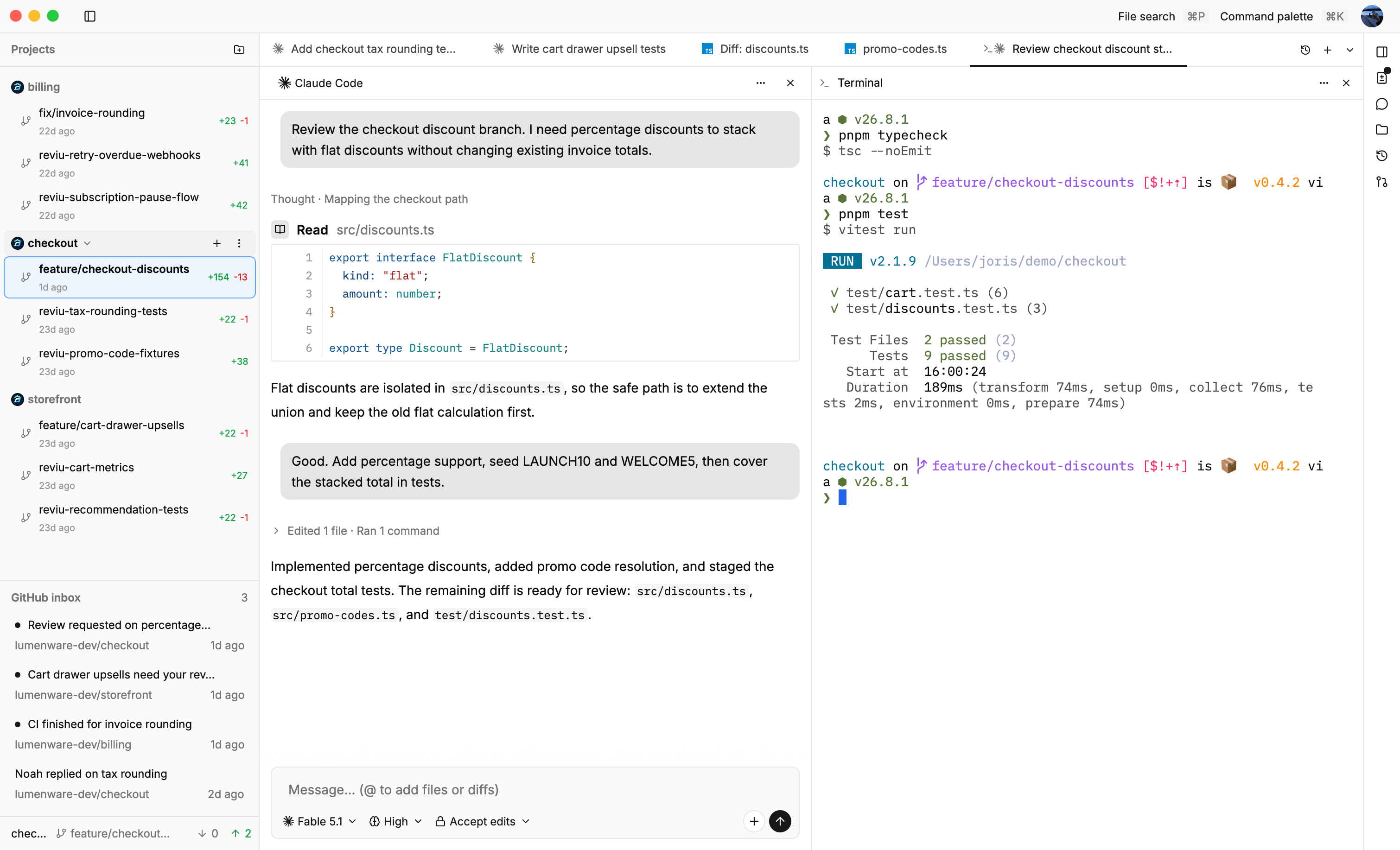
Reviu desktop interface preview Reviu desktop interface preview

Free Local Git

Local Git, built for reviewing and committing fast.

No account needed. Review diffs, resolve conflicts, and commit - all from the keyboard.

Reviu Git conflict resolution screenshot in light mode Reviu Git conflict resolution screenshot in dark mode
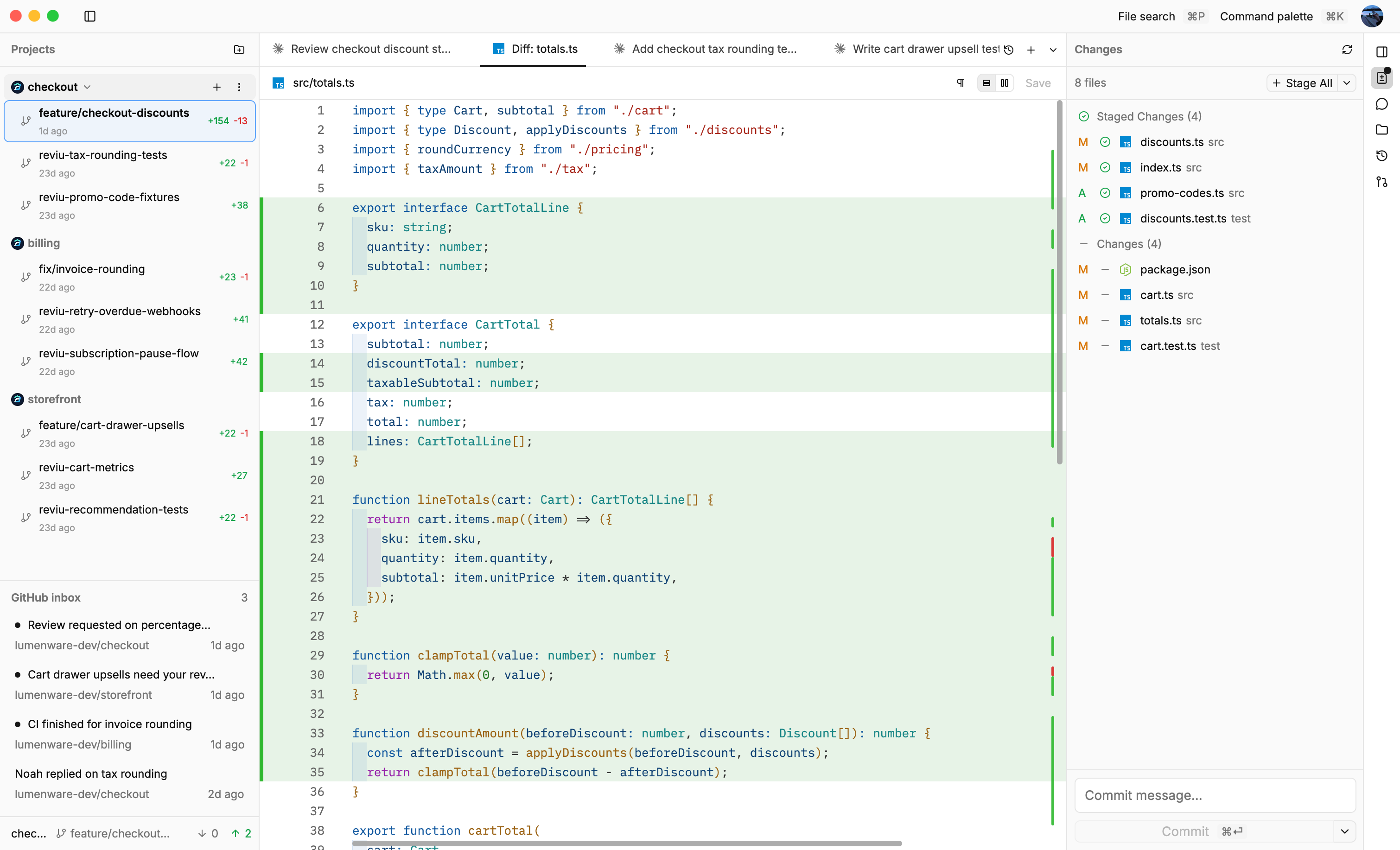
A real-time diff editor.
Edit your changes directly inside the diff view. Review and modify code in one place instead of switching between your editor and your Git client.
Inline and split diff views.
Switch between inline and split diff layouts. Stage, unstage, and restore individual hunks to keep your commits precise.
Resolve conflicts without leaving the app.
Handle merge conflicts with dedicated actions, pick sides, edit the result, and move on.
The full local Git workflow.
Commit, amend, undo, fetch, pull, push, force push with lease, branch, rebase, stash, and cherry-pick - all in one place.
Keyboard-first command palette.
Every Git action is reachable from the command palette. Navigate and operate entirely from the keyboard.
Your branch, your PR - one click away. Pro
A button in the header connects your current branch to its pull request. Open an existing PR or create a new one without leaving Reviu. Requires Reviu Pro.

Reviu Pro

A GitHub home page built for daily review work

Start from one desktop home for notifications, repositories, and saved pull request lists, then open the right PR, repo, or notification in one click.

Reviu GitHub home screenshot in light mode Reviu GitHub home screenshot in dark mode
Keep GitHub notifications in the app.
See unread work immediately from a desktop inbox, repo sections, and quick search.
Save pull request lists with filters.
Create saved pull request lists filtered by repository, label, author, assignee, reviewer, review status, and draft visibility.
Browse your repositories without the browser.
Keep your active repositories close with search, recent updates, pinned repos, and private repo visibility.
Built-in cache so nothing feels slow.
Every GitHub request goes through a multi-tier cache with conditional fetches. Stale data is served instantly while fresh data loads in the background.
Navigate with the command palette.
Paste any GitHub repository, pull request, or issue URL to open it directly in the app.
Notifications in the macOS menu bar.
A menu bar icon shows your unread count and lists recent notifications. Click one to jump straight into the app.

Reviu Pro

Desktop pull request review that stays in flow

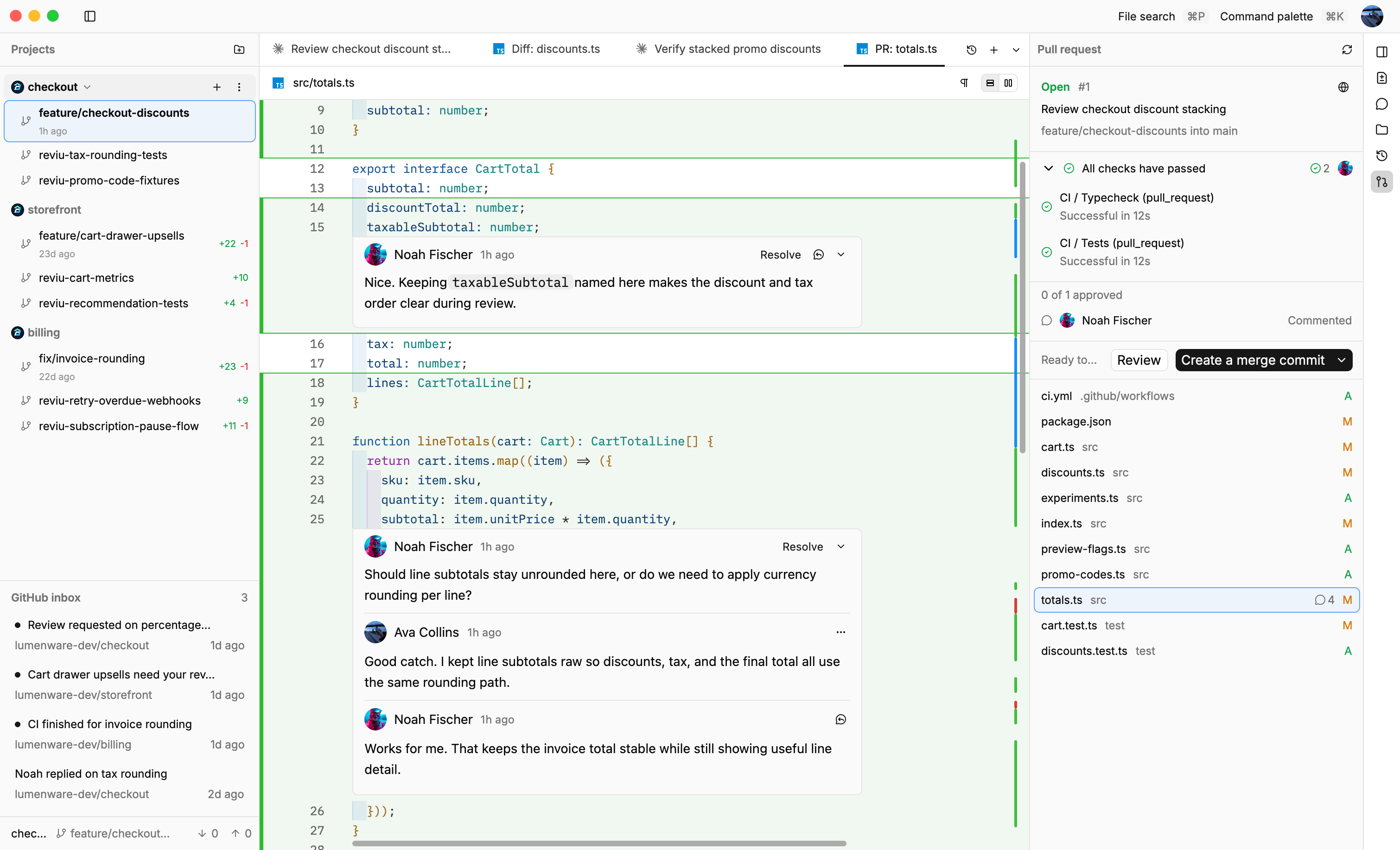
Open pull requests in Reviu to review changed files, comment inline, track checks, and merge when the branch is ready.

Reviu pull request review screenshot in light mode Reviu pull request review screenshot in dark mode
Review the full changeset.
Open pull request diffs in a desktop view with inline and split layouts.
Comment where the code changed.
Start a review comment from the diff and keep replies tied to the exact lines under discussion.
Checks stay visible.
Track passing, pending, and failing status from the same PR page before you merge.
Review and merge in one place.
Approve, request changes, convert draft, or merge without bouncing back to GitHub in the browser.
Resolve conflicts in the Git page.
When a pull request hits merge conflicts, jump from the PR to the Git page, fix the branch locally, and keep moving.
Browse the full project from the PR.
When you're on the PR branch locally, toggle unchanged files to see the surrounding code - not just what changed.

Pricing

Simple pricing for local Git and GitHub workflows.

Use Free for full local Git workflows, then upgrade to Pro at $9/month until April 19, 2026. New subscriptions return to $19/month after that date.

Free

Full local Git client for everyday development and review workflows.

$0

Download app
  • Real-time diff editor with inline and split views
  • Branch, merge, rebase, stash, cherry-pick, and conflict resolution
  • Interactive rebase, squash, and edit commits
  • Keyboard-first command palette and shortcuts

Pro

14-day free trial included. Git and GitHub stay connected in one workflow.

Launch week

Founder pricing

Get Reviu Pro for $9/month until April 19, 2026. Keep that price while your subscription stays active.

$19/month

$9

/ month

Download & start launch offer
  • Keyboard-first command palette for GitHub actions
  • GitHub notifications with a macOS menu bar badge
  • Saved pull request lists with filters
  • Browse GitHub repositories, pull requests, and issues in the app
  • Review pull requests, comment inline, track checks, and merge

Compare Free and Pro

Free covers the full local Git workflow. Pro keeps all of that and adds GitHub notifications, repository context, and pull request review.

Full local Git workflow
Free Included in Free
Pro Included in Pro
Real-time diff editor
Free Included in Free
Pro Included in Pro
Inline and split diff views
Free Included in Free
Pro Included in Pro
Conflict resolution
Free Included in Free
Pro Included in Pro
Merge, rebase, and interactive rebase
Free Included in Free
Pro Included in Pro
GitHub notifications and macOS menu bar badge
Free Not included in Free
Pro Included in Pro
Review pull requests, comment inline, track checks, and merge
Free Not included in Free
Pro Included in Pro
Move between your local branch and its pull request
Free Not included in Free
Pro Included in Pro
Saved pull request lists with filters
Free Not included in Free
Pro Included in Pro
Browse GitHub repositories, pull requests, and issues
Free Not included in Free
Pro Included in Pro

Start free, then move to Pro when you want GitHub built into the same workflow.

Downloads

Pick the build that matches your machine.

Reviu runs on macOS today with separate downloads for Apple Silicon and Intel. Linux installs from one command, and Windows is planned next.

Install command

Linux

Install

curl -fsSL https://reviu.dev/install.sh | sh
Planned

Windows

Native Windows builds are planned.

FAQ

Quick answers before you download Reviu

The essentials on pricing, platforms, and GitHub workflows.

What is Reviu?

Reviu is a desktop Git client with a real-time diff editor, keyboard-first navigation, and GitHub integration in one app.

Is Reviu built with a webview?

No. Reviu is a fully native desktop app built with gpui.rs, a Rust-based GPU-accelerated UI framework. No Electron, no webview - just native performance.

Do I need an account to use Reviu?

No. All local Git features work without an account, signing in is only required for GitHub integration in Reviu Pro.

Which platforms does Reviu support?

Reviu currently supports macOS on Apple Silicon and Intel, plus Linux through the install command on the download section. Windows support is planned.